


583+ repair shops increased their conversion rates
Everything your visitor needsto book a repair
A guided booking flow that picks the device, prices the repair, and confirms the job, live on your WordPress site.
Your visitors land, but...
bounce in seconds.
...and you never know why they left.
What if you could keep them? Flip the three below.
How it works
Every step you walk through
with RepairPlugin.
From installing the plugin to the numbers landing in your inbox every week. This is the whole path, in the order you actually walk it.
Chapter 1
Set it up, once
Five steps between an empty WordPress site and a booking form that takes appointments.
- 1
1Install
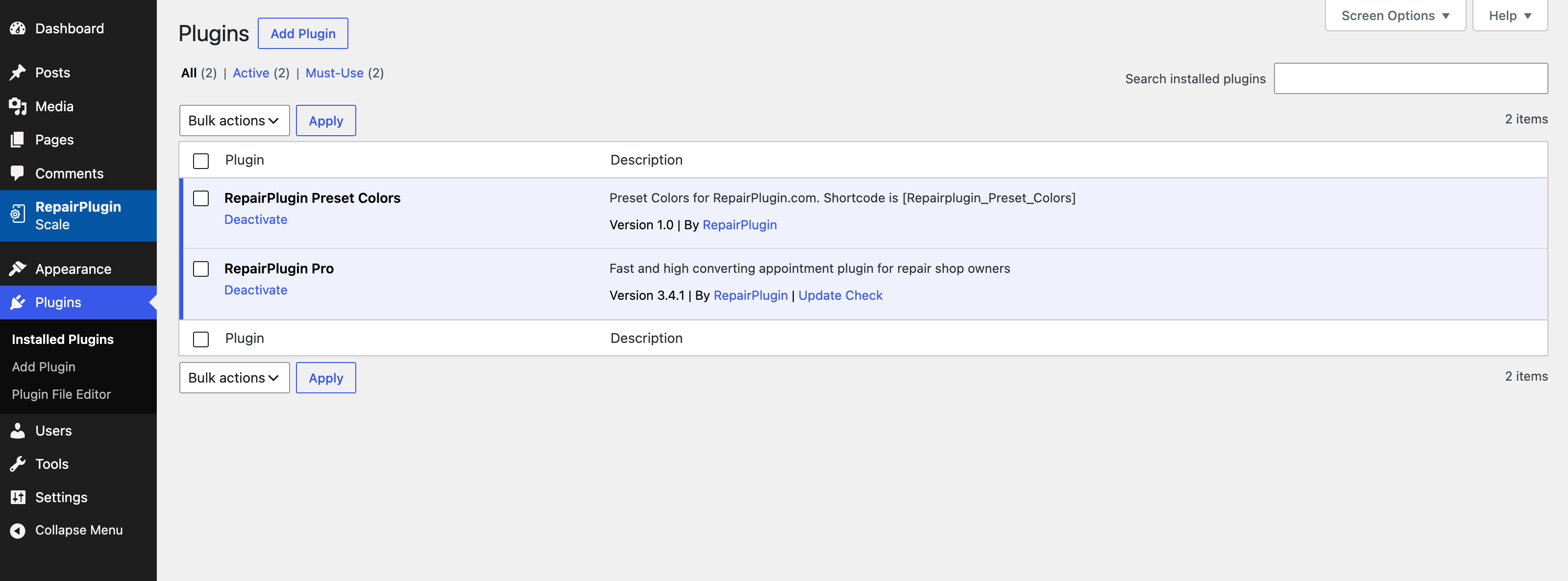
Put the plugin on your WordPress site
Activate RepairPlugin and place the booking form on any page with a shortcode or block. You do not need a developer for this.
- WordPress plugin
- Shortcode or block
- Live in minutes
- 2
2Device library
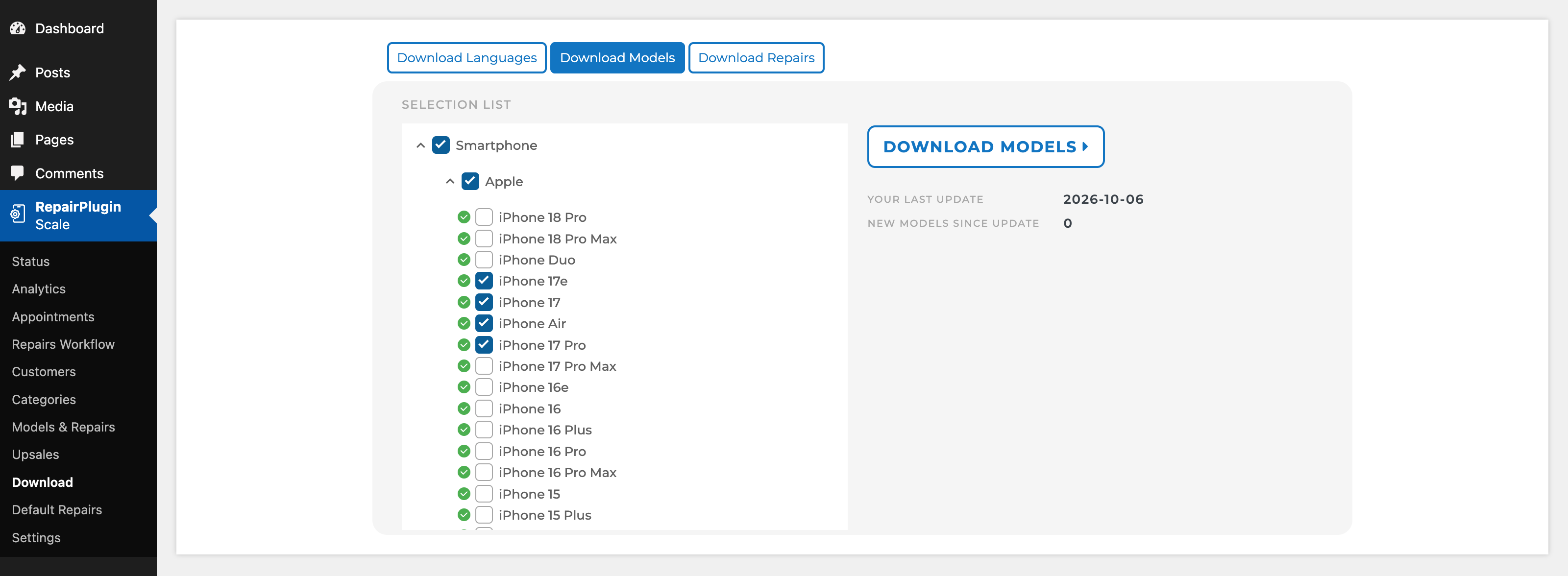
Pull in the model database
Download 3,080+ device models with images, colours and ready-made repair types from the RepairPlugin cloud. Categories, brands and series come with it.
- 3,080+ models
- Categories, brands and series
- Default repairs per category
- 3
3Pricing
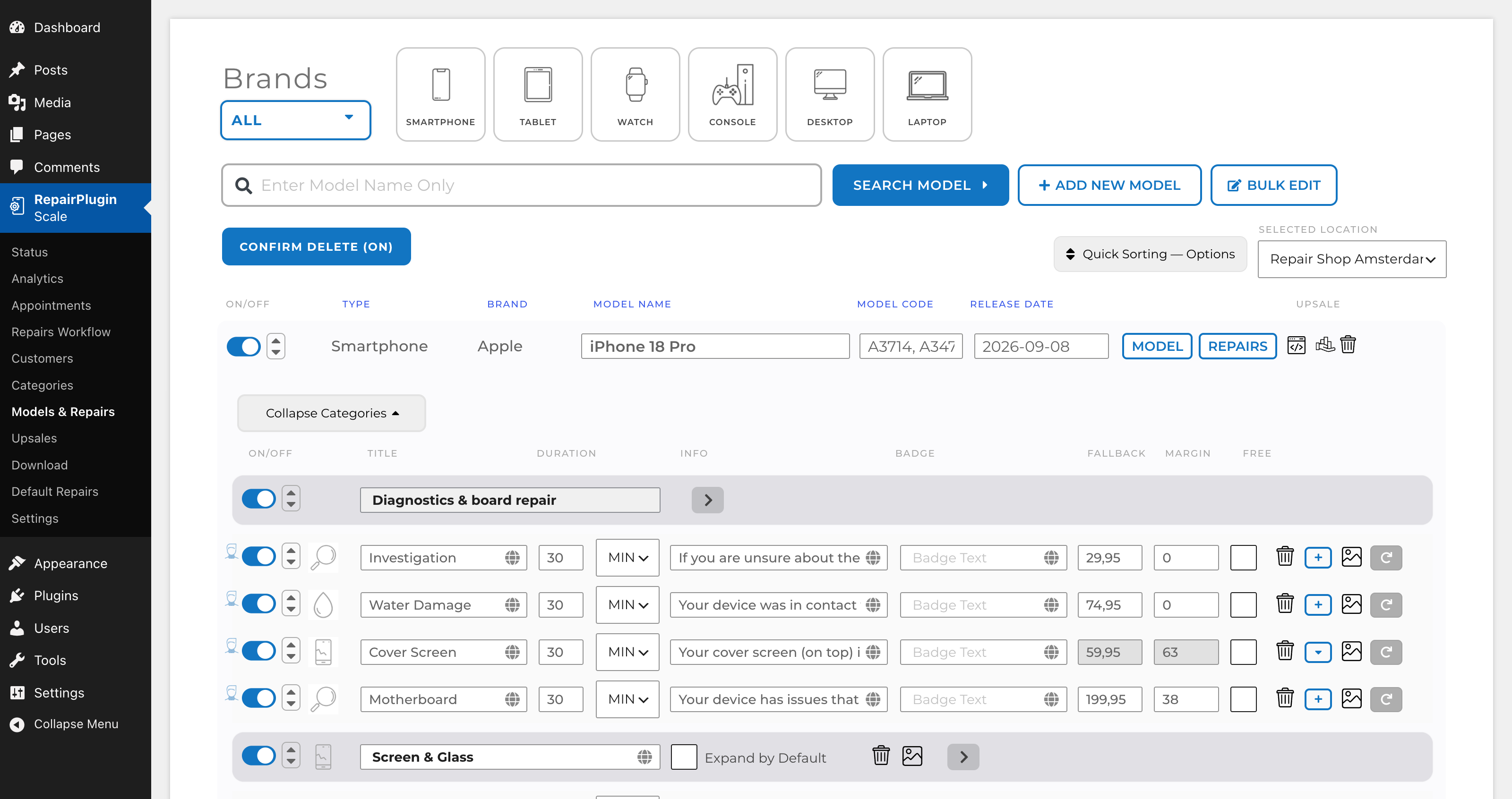
Add your prices
Set a price per repair yourself, or let Dynamic Pricing fetch live supplier prices every 60 minutes, add your margin and round to clean amounts.
- Manual pricing per model
- Dynamic Pricing on Growth and Scale
- Combo discount and coupon codes
- 4
4Locations and service
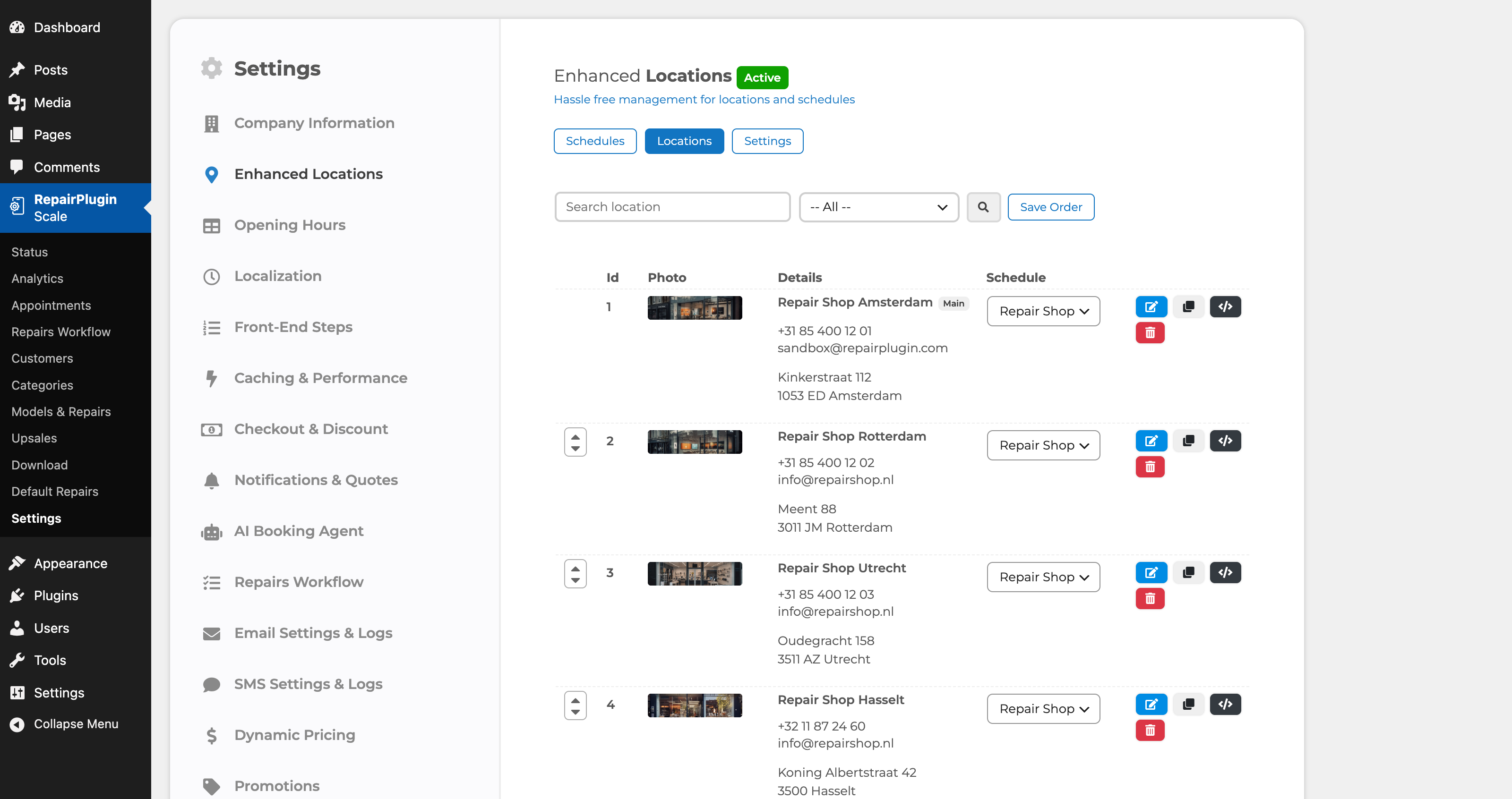
Set your locations, service methods and hours
Drop off in store, ship it, have it picked up, or repair on site. Run an unlimited number of branches, each with their own opening hours, time slots and prices.
- 4 service methods
- Unlimited locations
- Opening hours and time slots
- 5
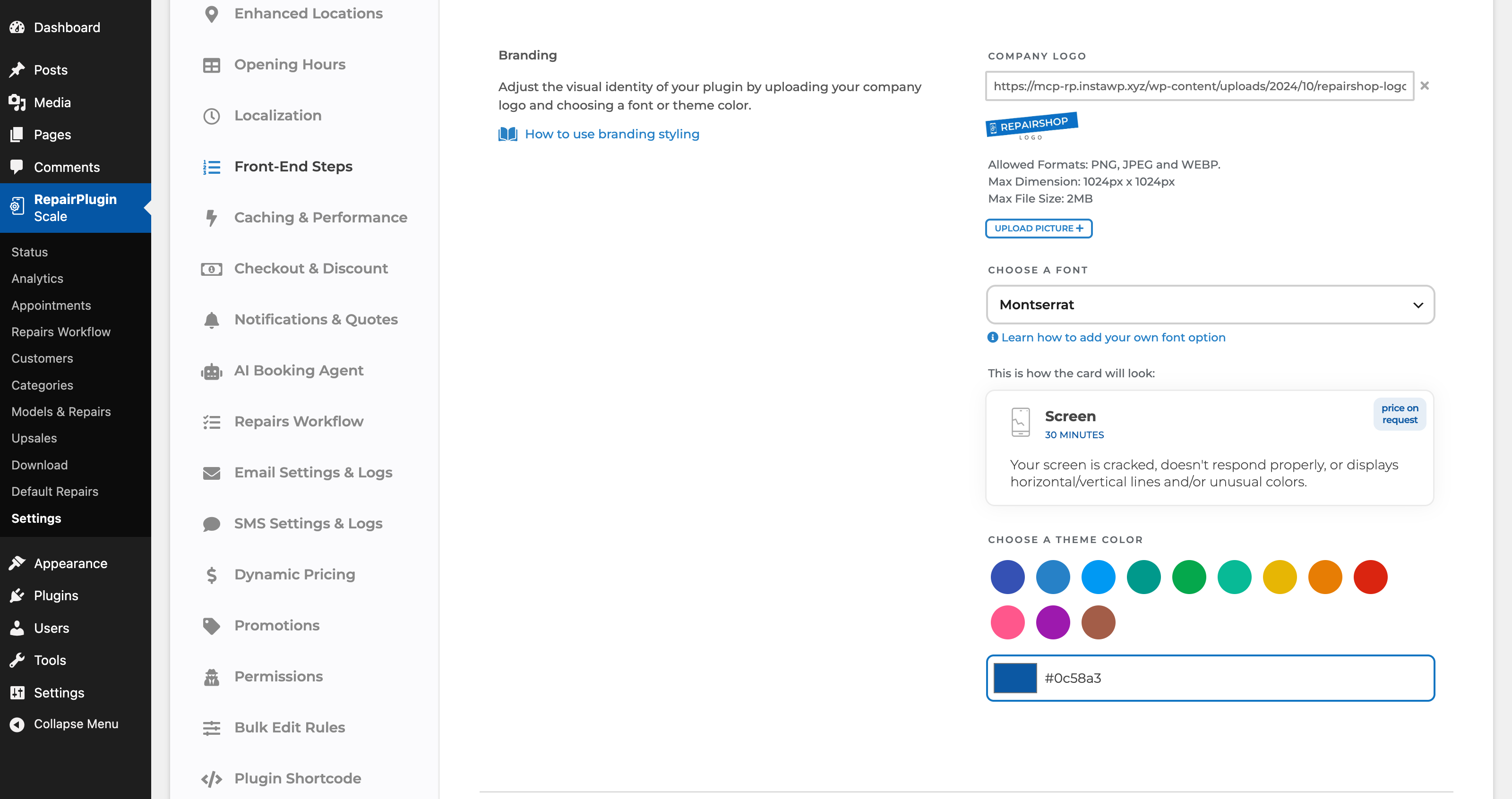
5Styling
Make it look like yours
Your logo, your colours, your fonts. The booking form reads as part of your site, not as a widget glued on top of it.
- Logo and brand colour
- Custom fonts
- 15+ languages
Chapter 2
Your customer books
Three screens from first click to a confirmed appointment. No quote request, no phone call.
- 6
6Step 1 of 3
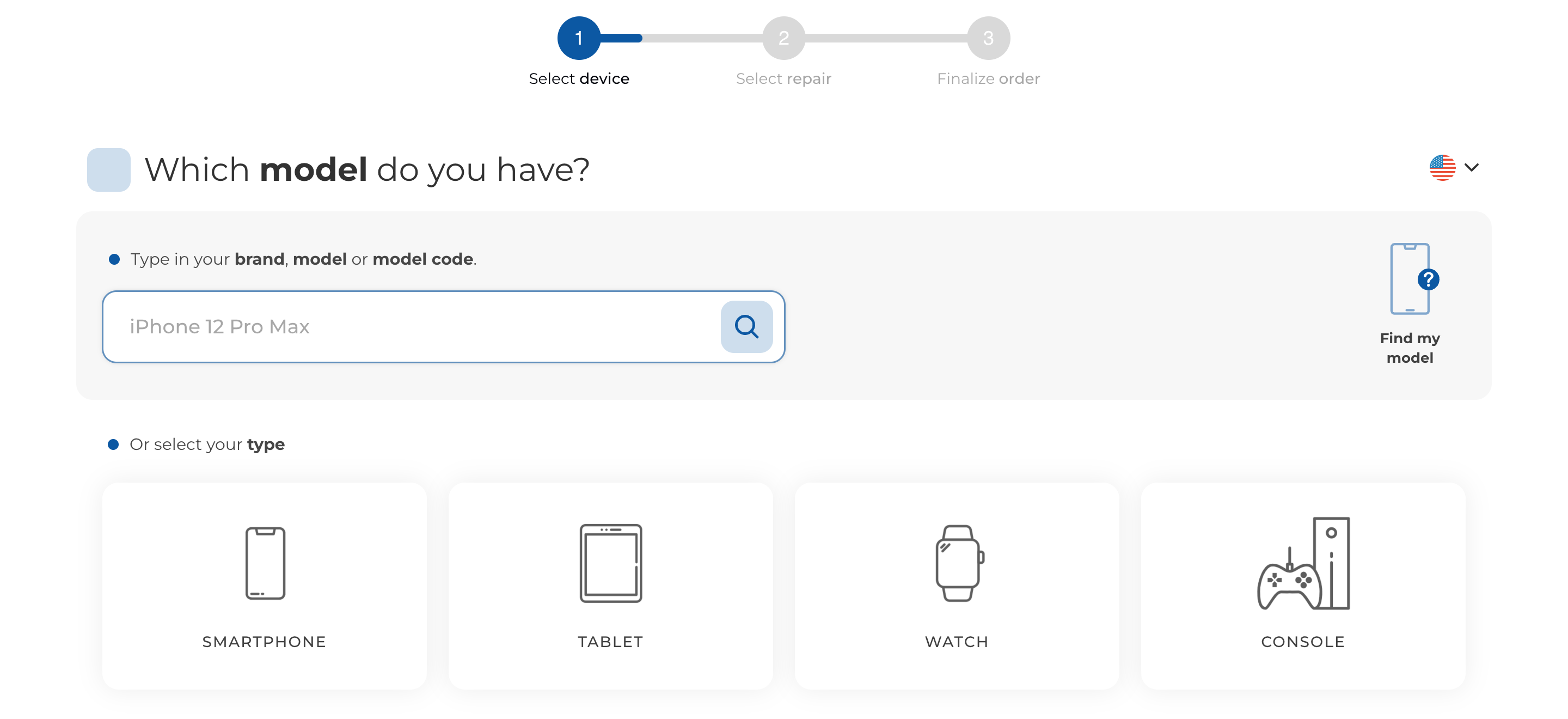
Your customer picks the device
Category, brand, model. Or type it straight into the search bar and land on the right model immediately. Prefer to ask? The AI Booking Agent answers from your own models, prices and opening hours, and drops your customer into the form with everything already selected.
- Category, brand, model
- Search bar
- Or via the AI Booking Agent
- Back button at every step
- 7
7Step 2 of 3
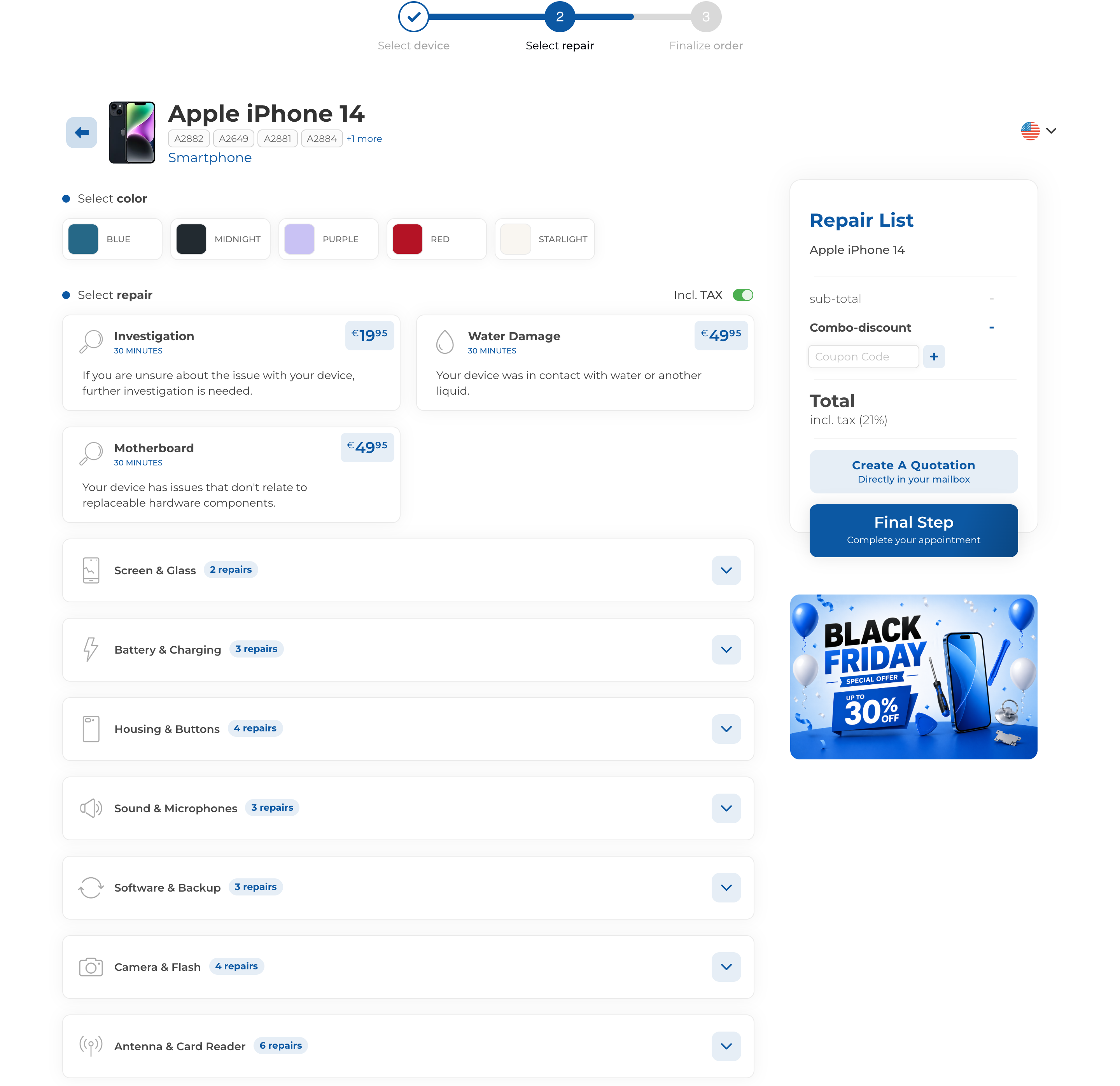
Your customer picks the repairs
Fixed price, repair time and a photo per repair. With Dynamic Pricing on, that is today's price: fetched from your supplier every hour, with your margin added. Several repairs at once, with combo discount and accessories as an upsell.
- Price per repair visible
- Live prices with Dynamic Pricing
- Several repairs at once
- 8
8Step 3 of 3
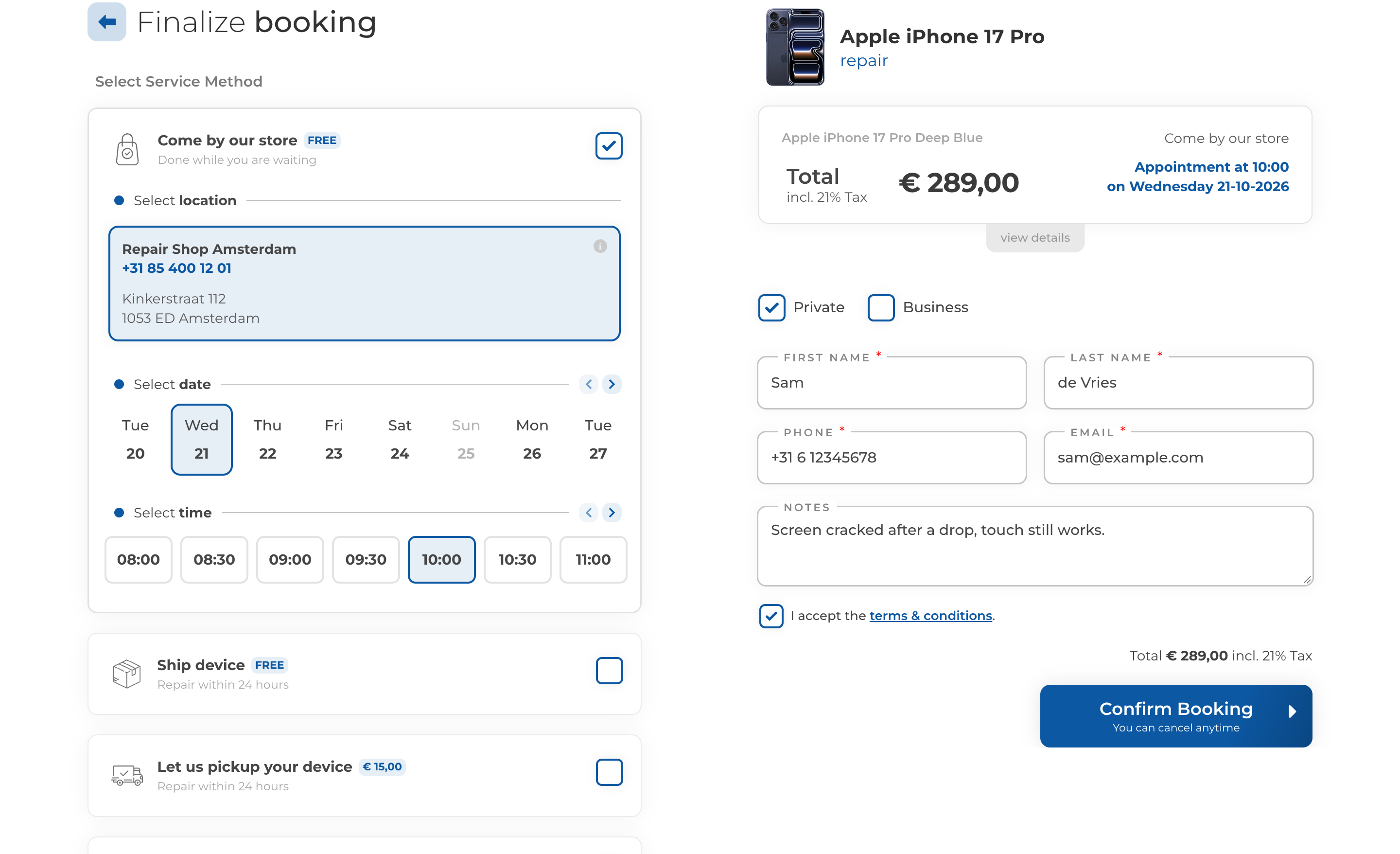
Details, moment and payment
Contact details, service method, date and time slot. Pay in full, pay a deposit, or settle up in the store. The thank-you page, confirmation email and PDF quote follow automatically.
- Your own checkout fields
- Date and time slot
- Deposit or full payment
- Thank-you page, confirmation email and PDF quote
Chapter 3
You run the repair
The booking lands in your dashboard and stays there until the device goes back out the door.
- 9
9Intake
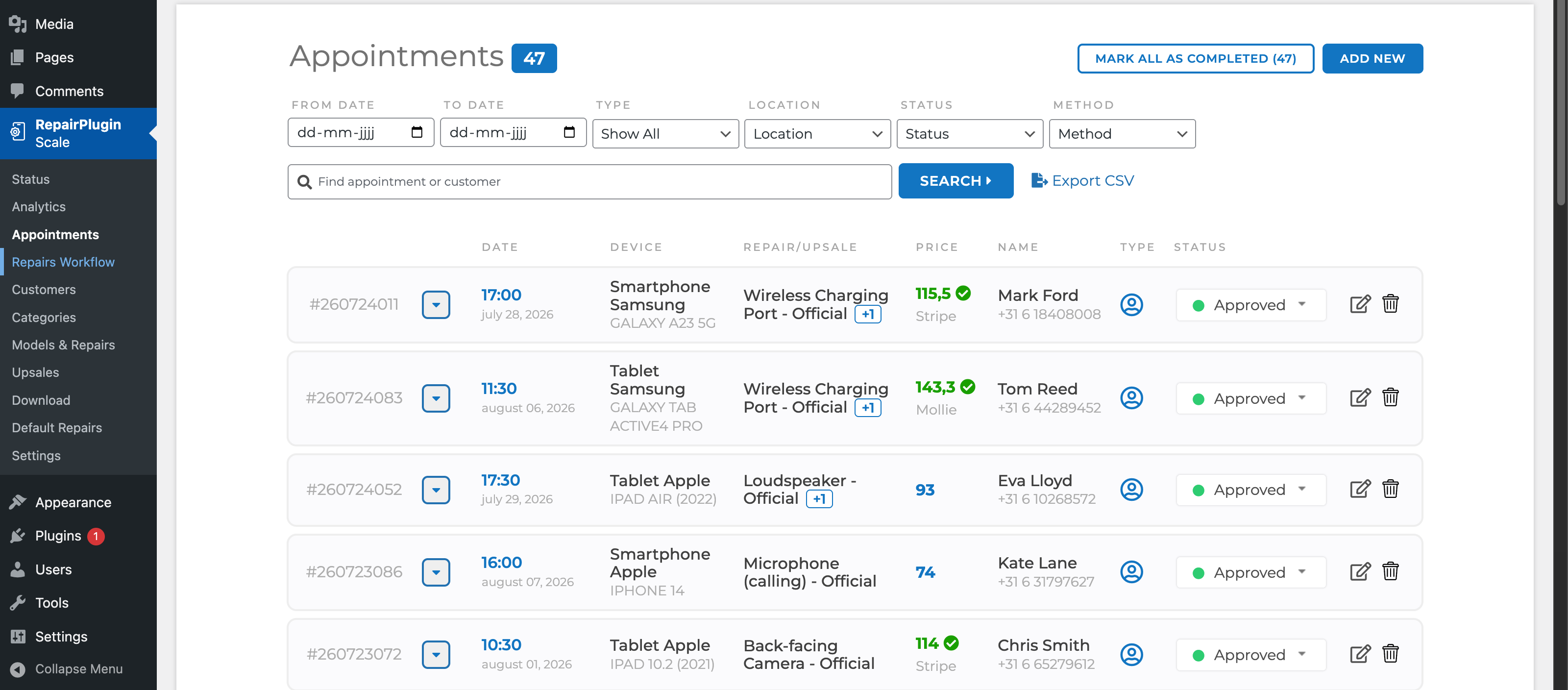
The appointment lands in your dashboard
Every booking arrives complete: customer, device, repairs, service method and moment. Approve automatically, or look it over yourself first.
- Appointments overview
- Automatic or manual approval
- Syncs with Google Calendar
- 10
10Repair process
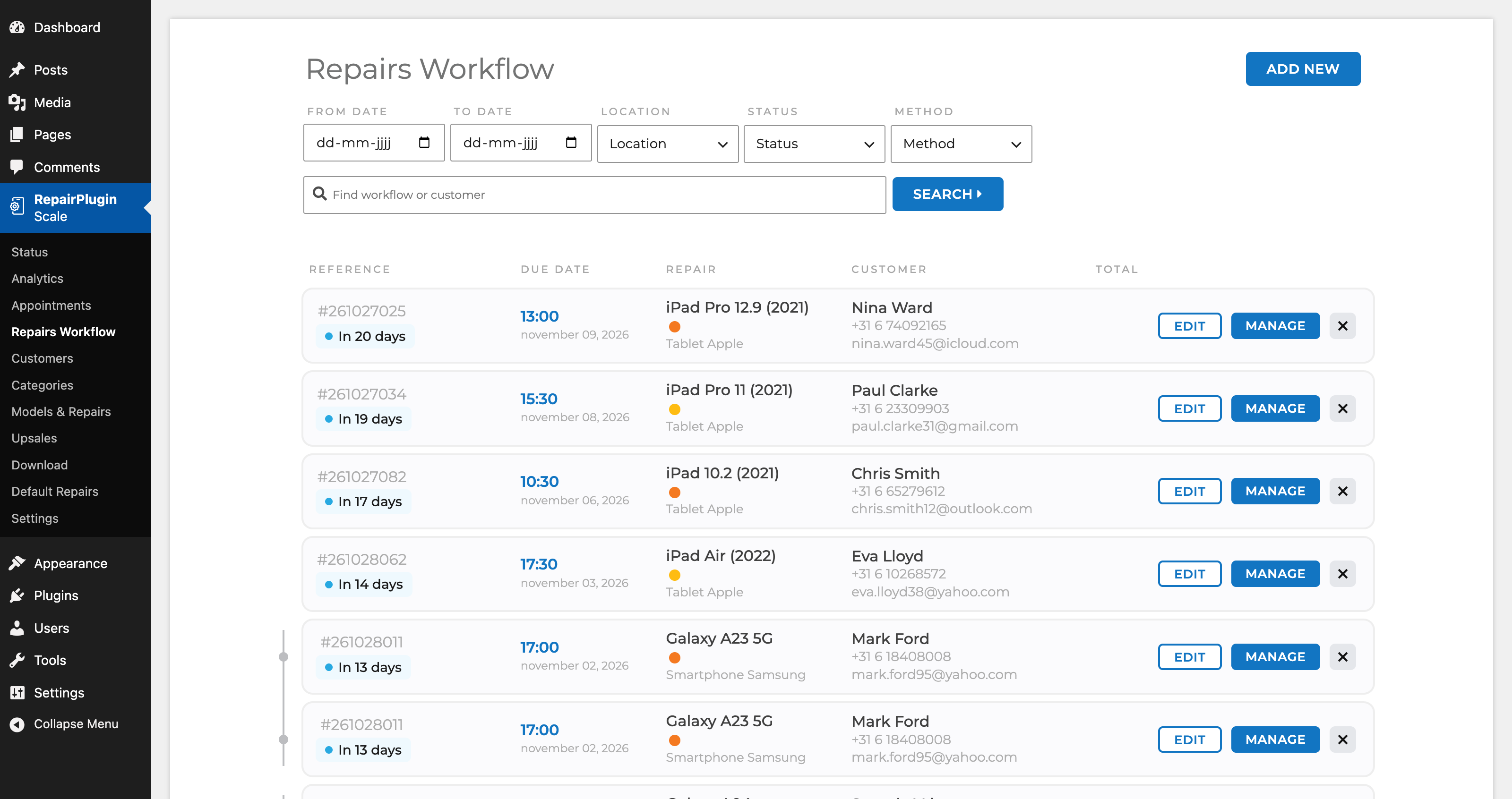
Move the repair through your own statuses
In diagnosis, waiting for parts, in repair, ready for pickup. Your own statuses, in your own order, set up differently per service method.
- Your own repair statuses
- Internal and external notes
- Deadline per repair
- 11
11Customer contact
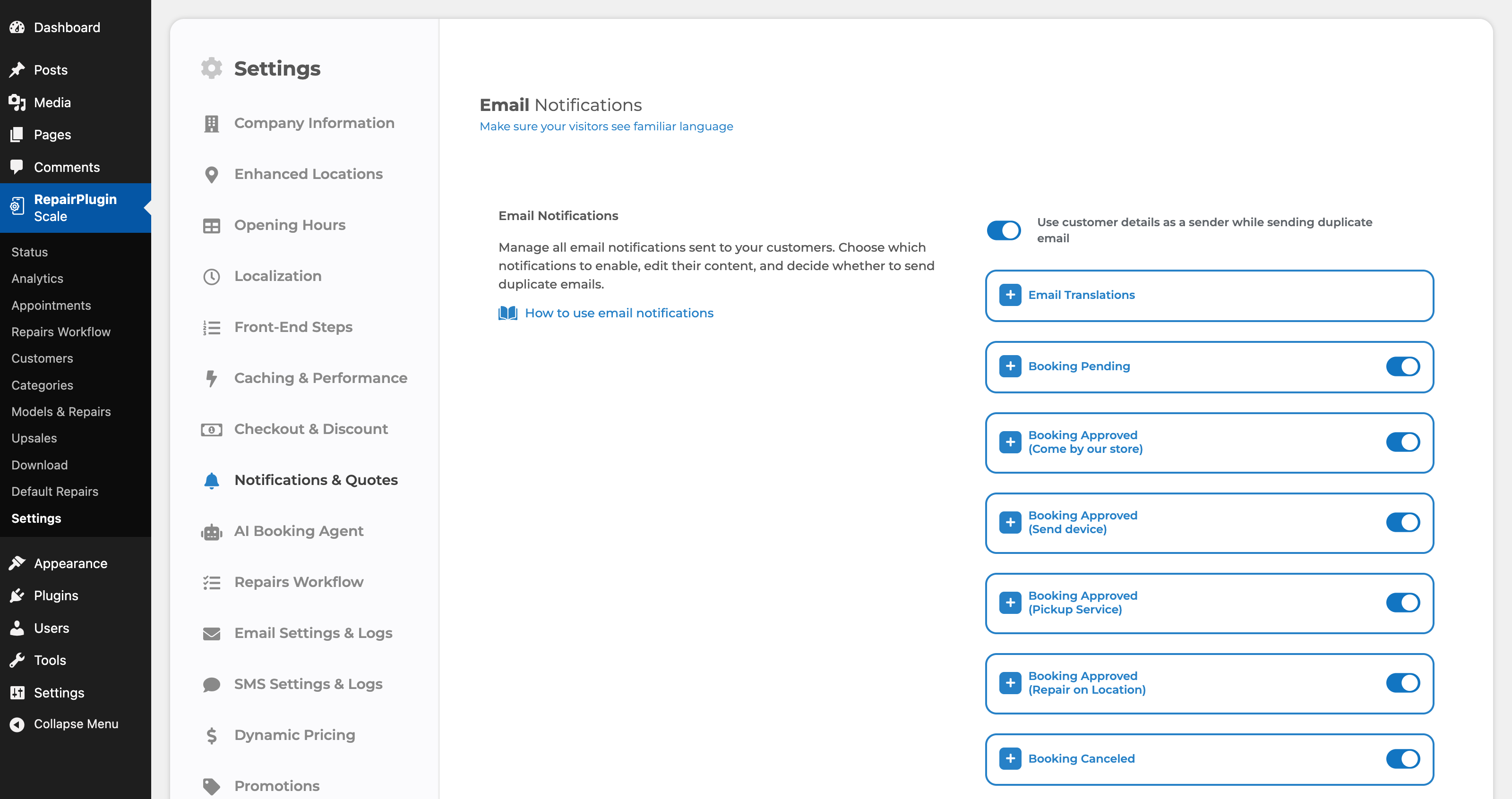
Your customer is kept posted automatically
Every status change sends the email you wrote. In the customer portal your customer follows the repair without having to call you.
- 12+ automatic emails
- Customer portal
- Reminder and aftersale emails
- 12
12Numbers
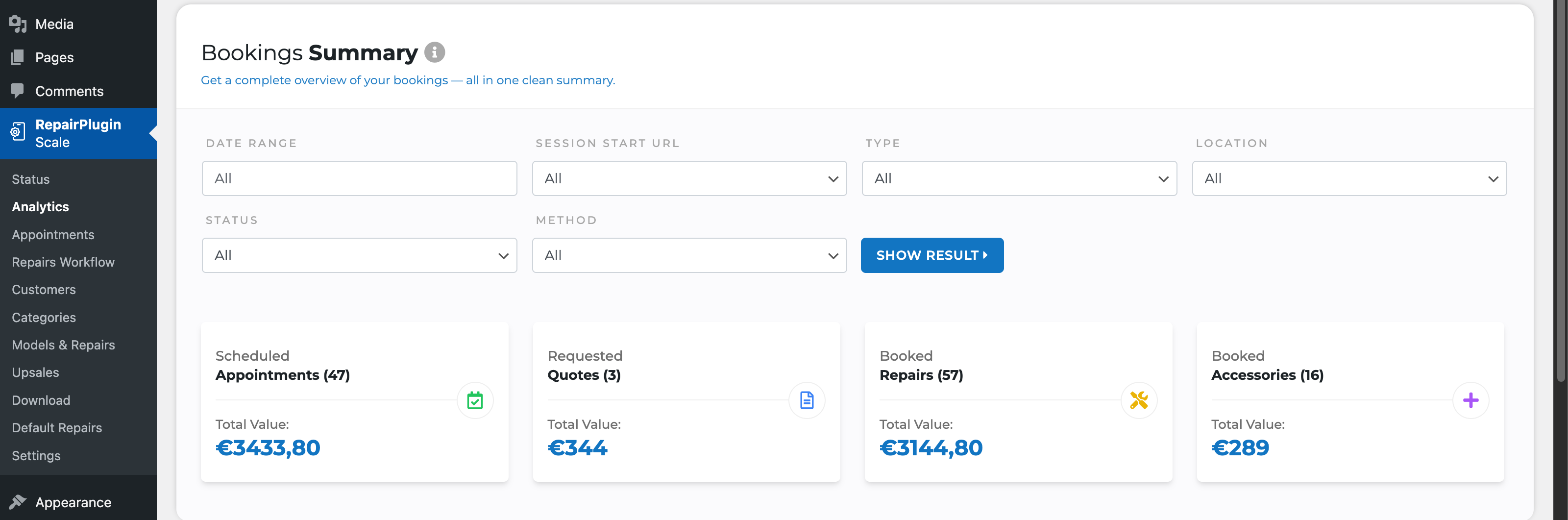
See what it brings in
Bookings, quotes and revenue in one overview, with a conversion funnel that shows where visitors drop off. The same summary lands in your mail every week.
- Analytics dashboard
- Revenue per repair
- GA4 and Tag Manager
Also in RepairPlugin
Four jobs you stop doing yourself.
Answering questions, updating customers, writing quotes, adjusting prices. You saw them in the steps above; here is the longer story.
- New in 3.4
AI Booking Agent
Answers visitors from your own models, repairs, prices and opening hours, then hands them to the form with everything selected.
Read more - New in 3.4
SMS and WhatsApp
Status updates on your customer's phone, via Twilio. Same templates as your emails, delivered where they actually get read.
Read more PDF quotes
A quote in the customer's inbox straight from the repair list, with your logo and terms. Follows up automatically.
Read moreDynamic Pricing
Live supplier prices every hour, your margin on top, rounded to clean amounts. On Growth and Scale.
Read more
“RepairPlugin works flawlessly and is very clear to use.”
MHMohamad HosseiniTeleshopper
“The plugin is designed in a very straightforward way for repair shop owners. The biggest win is definitely the convenience. I really enjoy using this plugin. I'm satisfied and have nothing to complain about. What I also really appreciate is that you offer the option to submit new feature suggestions, which makes customers feel involved in improving the plugin.”
SDStefan de JongConnectz
“I would definitely recommend it to other shop owners. It's easy to use, especially with the Dynamic Pricing feature. Before, we had to update the prices every week, and now that's no longer necessary. Sometimes we forgot to adjust them, which caused inaccuracies, but now we save time and always have the correct prices on the website.”
AAAbdullah Al ZoubiTelecomshop Twente
“It gives the website a professional look and makes it much easier for customers to request a repair. It looks great, works smoothly and quickly, and with Dynamic Pricing, it takes so much work off our hands.”
BABieman AmediDyna Store
Turn visitors into customers.
Join 583+ repair shops already fixing their massive drop-offs.
Easy to install and live on your WordPress site in minutes.